How to Turn Your Electrician Website Into a Lead-Generation Machine (Even While Your Crew Is Out on a Job)
You turn your electrician website into a lead-generation machine by aligning every page with visitor intent, local search demand, proof points, and a single clear CTA. Build focused service pages, show relevant reviews, use tap-to-call buttons, and keep forms short. Capture project type, timeline, budget, ZIP code, and contact preference so you can qualify leads fast. Then automate texts, emails, CRM routing, and reminders while tracking which sources become booked jobs. Here’s how to build that system step by step.
Map the Path From Visitor to Lead
How does a visitor become a qualified lead on your website? You design the journey before they click. Start by defining intent: problem, project type, budget, timeline, and service area. Then align each page element to move them forward. Your headline confirms relevance, proof builds trust, and one focused call-to-action captures demand. Use landing page pacing to reveal information in the order buyers need it: pain, outcome, credibility, offer, action. Track scroll depth, form starts, clicks, and drop-offs to find friction fast. Short forms improve volume; smart fields improve fit. By streamlining onboarding, you can route leads instantly, trigger automated follow-up, and give your crew better context before the first call. Every step should reduce uncertainty and increase the probability of conversion.
Use Local SEO to Attract Website Leads
Why let high-intent local electrician service buyers find a competitor first? You can turn search demand into booked opportunities by strengthening the local signals that help Google trust, rank, and display your business when nearby prospects are ready to act.
- Audit your Google Business Profile weekly; accurate categories, hours, photos, and services lift map-pack relevance.
- Keep NAP data consistent across directories, social profiles, and industry listings to reduce ranking friction.
- Generate steady reviews and respond fast; fresh sentiment can improve click-through rates and conversion confidence.
- Improve mobile visibility with fast pages, tap-to-call buttons, and location cues, so searchers can contact you instantly.
Track calls, form fills, and map actions by source. Then double down on the keywords and neighborhoods producing profitable leads.
Build Service Pages That Convert
Local SEO can bring qualified buyers to your site, but your service pages must turn that intent into action. Build each page around one service, one buyer problem, and one clear next step. Lead with your value proposition: what you solve, how fast you respond, and why your process reduces risk. Use concise headlines, service-specific photos, pricing cues, FAQs, and a visible call to action above the fold.
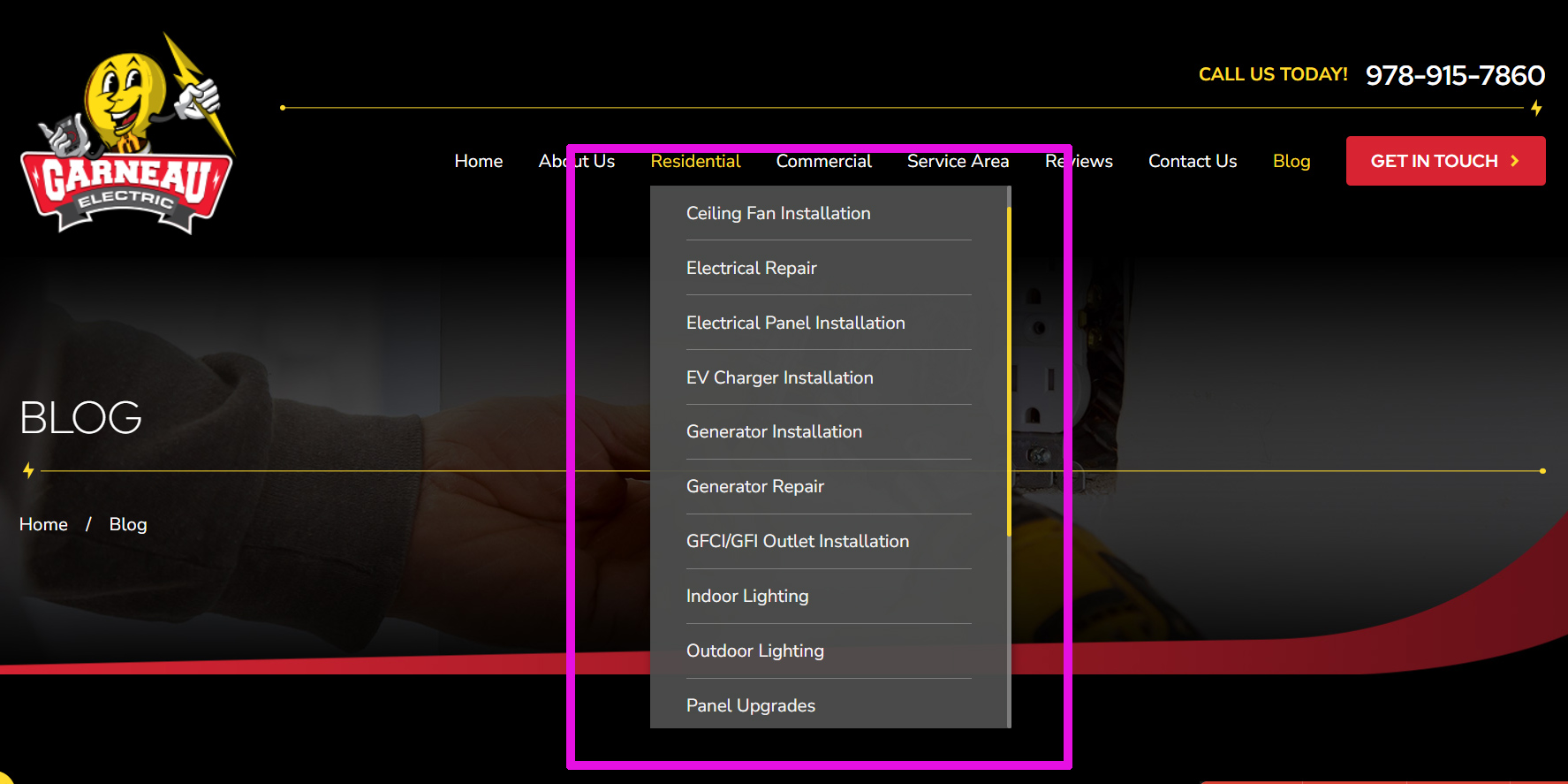
Then use lead segmentation to route visitors by urgency, property type, budget, or project scope. A “Need emergency help?” button shouldn’t send the same message as “Planning a remodel?” Track form completions, call clicks, scroll depth, and source data to refine copy and offers. When each page matches search intent, you convert more traffic without increasing ad spend today.
Use Reviews to Build Trust Fast
What proves your promise faster than a recent review from a customer with the same problem? You need social proof placed where homeowners evaluate risk: near service claims, project photos, and pricing context. Strong reviews affect trust metrics by reducing doubt before a call ever happens.
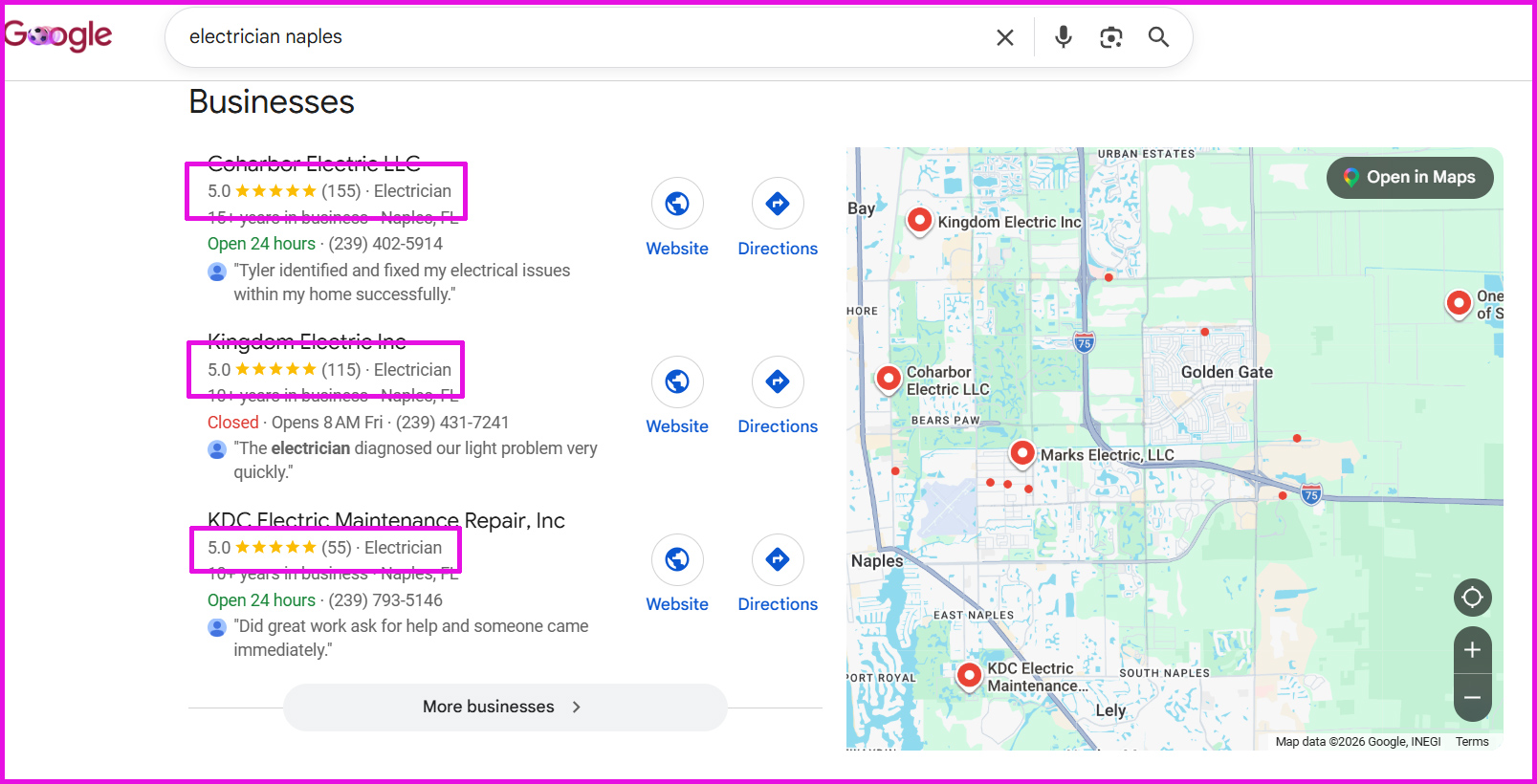
- Feature recent, specific reviews that mention the service, location, timeline, and result.
- Match reviews to each service page so prospects see proof tied to their exact need.
- Show star ratings with review volume to signal consistency, not one-off success.
- Refresh testimonials regularly using automated requests after completed jobs.
Treat reviews like conversion assets, not decorations. When you organize them strategically, you help visitors quickly validate your expertise and keep your website running while your crew’s in the field.
Add CTAs That Get Homeowners to Act
Reviews reduce doubt, but clear calls to action turn that trust into measurable leads. Place one primary CTA above the fold, repeat it after proof points, and keep the language outcome-based: “Get My Roof Estimate” beats “Submit.” You’re guiding homeowners toward the next logical step, not asking them to hunt.
Use behavior data to refine placement. If heatmaps show visitors stopping near pricing, add a CTA there. If mobile traffic dominates, make tap-to-call and appointment scheduling prominent. Pair urgent CTAs with low-friction lead magnet ideas, such as a storm-damage checklist or a renovation cost guide, for homeowners who are still researching.
Test button copy, color, and position monthly. Small conversion lifts compound, and your website starts booking opportunities before your team leaves the jobsite. Track clicks by source to prioritize high-intent channels.
Capture Leads With Short Forms
How much information do you really need to qualify a homeowner? Usually, less than you think. Short forms reduce friction, lift completion rates, and turn mobile visitors into booked opportunities faster. Strong lead form UX starts with form field minimization: ask only what helps you respond quickly and intelligently.
- Name — personalize the follow-up without slowing submission.
- Phone or email — let homeowners choose their preferred contact path.
- Service needed — route requests to the right team or offer.
- ZIP code — confirm service area before you invest time.
Every extra field creates another exit point. Use smart defaults, autofill, and thumb-friendly spacing to streamline action. When your form feels effortless, you capture more demand while competitors make homeowners work too hard.
Qualify Leads Before You Call Back
Short forms get more homeowners to raise their hands, but qualification determines which leads deserve the fastest response. Add smart fields that reveal buying intent without creating friction: project type, timeline, budget range, location, and ownership status. You’re not interrogating prospects; you’re scoring fit so your team can prioritize revenue-ready opportunities.
Use lead qualification rules to automatically rank submissions in your CRM. A homeowner needing emergency repair this week should outrank someone “just researching.” A project inside your service area with a clear budget should trigger faster appointment setting than an incomplete inquiry.
Track which answers correlate with closed jobs, then refine your scoring model. When you call the right leads first, you reduce wasted time, improve close rates, and turn website traffic into measurable pipeline.
Automate Follow-Ups for New Website Leads
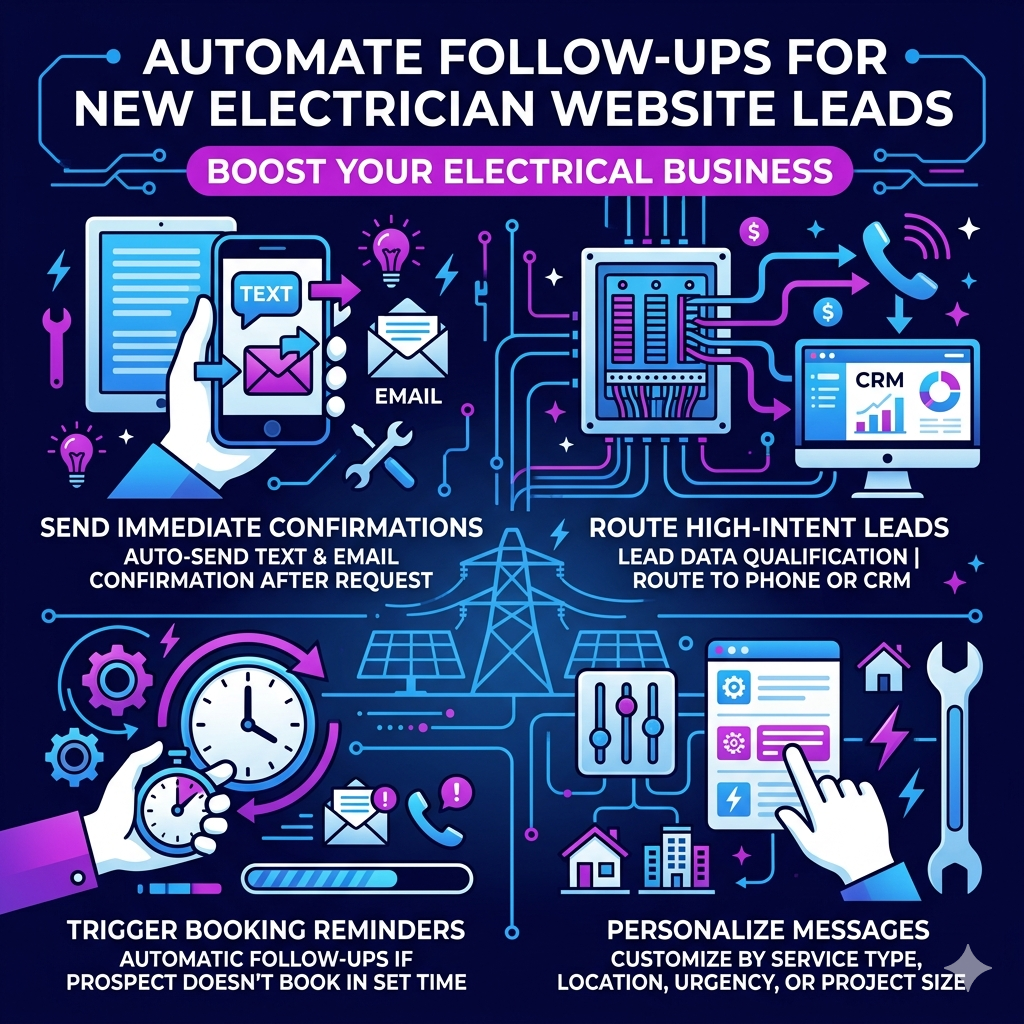
When a website lead comes in, speed determines whether you win the appointment or lose it to a faster competitor. You can’t rely on manual callbacks when your crew’s on-site, so build Automation workflows that respond instantly, guide the next action, and keep prospects engaged.
- Send an immediate text and email confirming you received the request.
- Route high-intent leads to your phone or CRM based on Lead qualification data.
- Trigger reminders if a prospect hasn’t booked within a set time window.
- Personalize messages by service type, location, urgency, or project size.
These automated touches reduce response gaps, increase booked consultations, and create a modern buying experience. You stay present, even when you’re busy, and every new inquiry gets a consistent, conversion-focused follow-up sequence.
Track Which Website Leads Become Jobs
Connect your website forms to your CRM, so every lead carries its source, service interest, and follow-up history. You’ll see which pages, ads, and keywords turn into booked jobs—not just form fills. Use that data to shift budget toward channels that produce revenue.
Connect Forms To CRM
Your forms should push every lead directly into your CRM so you can track the full path from website visit to booked job, closed revenue, and repeat business. When you connect forms with CRM integration, you eliminate manual entry, reduce missed opportunities, and provide your sales process with cleaner data.
- Capture instantly: Send names, services, locations, budgets, and notes directly into the right pipeline.
- Prioritize smarter: Score leads by urgency, project type, and value so you contact high-intent prospects first.
- Respond faster: Trigger alerts, texts, or emails the moment someone requests an estimate.
- Analyze quality: Compare form fields against outcomes to refine offers, pages, and follow-up workflows.
This system helps you turn raw inquiries into measurable opportunities without slowing your crew down today.
Measure Booked Job Sources
Which website leads actually become booked jobs? You need source tracking that follows every inquiry from first click to signed estimate. Tag forms, calls, chats, and scheduling links by channel, campaign, keyword, and landing page. Then connect those records to your CRM so booked revenue ties back to the exact source.
Lead attribution shows where profit starts, not just where traffic arrives. You’ll see whether Google Ads, organic search, referral pages, email, or local service ads create jobs your crew can complete. Use that data to shift budget toward high-close sources and fix pages that attract weak leads.
Review booked-job reports weekly. Track close rate, job value, response time, and source. When you measure outcomes, your website stops guessing and starts investing in channels that produce revenue.
Frequently Asked Questions
A lead-generation website should cost what your revenue targets justify—often $3,000–$15,000+ depending on strategy, pages, automation, SEO, and integrations. You’ll assess lead-generation pricing by comparing build costs to projected qualified leads, close rates, and lifetime customer value. For website cost feasibility, model payback within 3–12 months. Invest in conversion tracking, fast UX, persuasive copy, and CRM workflows, so you’re not buying a brochure—you’re scaling acquisition.
You shouldn’t redesign by default; coincidentally, the best revenue gains often come from improving what’s already working. Start with redesign vs. optimization: audit speed, calls to action, forms, mobile flow, and conversion paths. Balance user experience vs. analytics—what visitors feel and what data proves. If metrics show structural friction, redesign. If traffic engages but doesn’t convert, optimize. You’ll innovate faster by testing changes, measuring lift, and investing where performance compounds.
You can see more website leads in 30–90 days, depending on your traffic velocity, offer strength, and lead conversion gaps. If you already get steady visitors, small changes to forms, CTAs, pages, and follow-ups can lift results faster. If traffic is low, you’ll need SEO, ads, or content to build momentum. Track clicks, calls, form fills, and close rates weekly so you can optimize based on data, not guesses.
No, you don’t need a blog; you need visibility, trust, and conversion paths. You can generate leads through optimized service pages, paid search, local SEO, and clear calls to action. But blogging discipline helps you rank for questions buyers ask, educate prospects, and support lead follow-up with useful resources. Track traffic, form fills, and close rates. Then invest where content turns attention into booked jobs.
You should assign post-launch ownership to one accountable person or partner, not “everyone.” Your manager tracks leads, uptime, page speed, SEO, content updates, forms, analytics, and conversion rates. Define the management responsibilities in a simple scorecard: weekly checks, monthly reporting, and quarterly optimization. If you’re growth-focused, use a digital partner who can test pages, improve CTAs, and turn website data into smarter revenue decisions while you run the business.
Conclusion
Your website shouldn’t sit around like a clipboard-wielding intern waiting for instructions. Map the journey, rank locally, sharpen service pages, showcase reviews, and place CTAs where homeowners are likely to click. Then use short forms, smart qualification, automated follow-ups, and lead tracking to turn traffic into booked jobs. When you measure what converts, you stop guessing and start scaling. Your crew can stay on-site while your website works the sales pipeline like it’s on commission.