
Does SEO Need Coding?
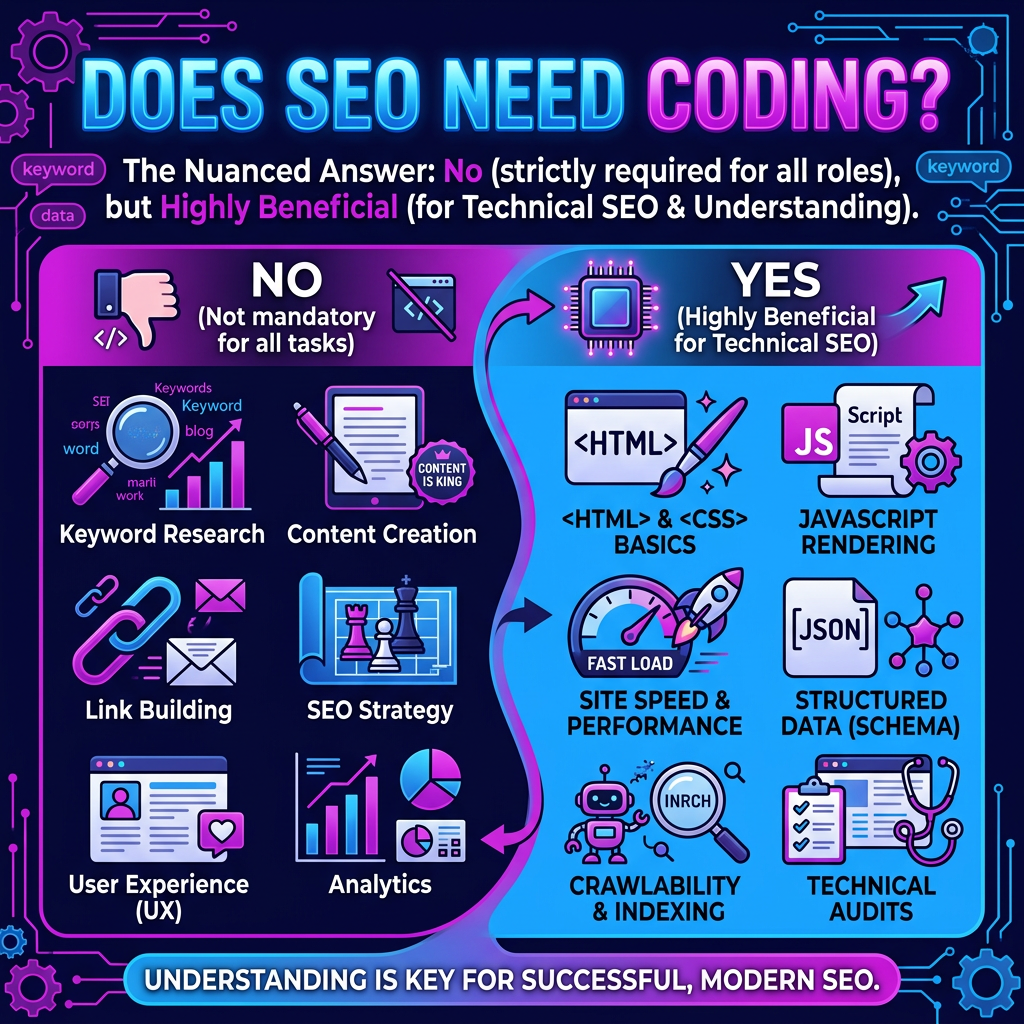
You don’t need to code to do effective SEO, but basic HTML/CSS/JS literacy helps you validate what Google crawls, and ship fixes faster. Most platforms let you set title tags, canonicals, robots directives, XML sitemaps, and structured data with UI toggles, yet you still need to confirm the rendered DOM. Coding becomes vital when crawl stats, index coverage, redirects, Core Web Vitals, or faceted URLs break at scale. Keep going to see what applies to your site.
Do You Need Coding for SEO, Really?
How much coding do you actually need for SEO? Usually, you can rank without writing full features, but you can’t ignore technical signals. You’ll configure title tags, canonicals, robots directives, XML sitemaps, and structured data; most platforms expose these with UI toggles, yet you still need to validate output in the rendered DOM. Measure coding impact by tracking crawl stats, index coverage, Core Web Vitals, and template-level changes in GSC and logs. When issues scale, lightweight scripting pays off: automate redirects, generate schema, lint metadata, and run regression checks with seo automation. You don’t need to become an engineer, but you do need enough HTML, CSS, and JavaScript literacy to diagnose, prioritize, and ship fixes fast.
How Much Coding Do You Need for Your Site Type?
Where your site sits on the complexity spectrum—static brochure pages, a CMS blog, an ecommerce catalog, or a JavaScript-heavy web app—determines the coding depth SEO requires. With low site type variation (static HTML), you’ll mostly touch clean markup, headings, internal links, and lightweight schema in-page. On a CMS, you’ll adjust templates: canonical tags, pagination, category indexing, and structured data at scale. For e-commerce, you’ll often need developer-grade controls for faceted navigation, parameter handling, hreflang, and product schema consistency across variants. If you run a JS-heavy app, you’ll likely collaborate on rendering strategy (SSR/SSG), hydration timing, crawlable routing, and log-based diagnostics to confirm bots receive indexable HTML. Your KPI is measurable crawl efficiency: fewer wasted requests, faster indexation, cleaner SERP snippets.
Which SEO Tasks Require Zero Coding?
Site complexity sets your coding ceiling, but a large chunk of SEO work stays effective even when you never touch HTML, CSS, or JavaScript. You can run keyword research, map intent, and build topic clusters with measurable targets (CTR, impressions, conversions) using Search Console and SERP datasets. You can optimize titles, meta descriptions, and on-page copy in your CMS, then A/B test messaging to lift engagement. You can improve internal linking through editor tools, tighten URL naming conventions, and enforce canonical rules via platform settings. You can boost Linguistic accessibility by simplifying reading level, standardizing terminology, and writing inclusive microcopy. You can audit UX signals—Core Web Vitals reports, mobile usability, and Color contrast checks—then log fixes for designers without coding.
What Basic HTML/CSS Improves SEO the Fastest?
Which tweaks move rankings and crawl efficiency fastest when you finally touch code? Start with title tags and meta descriptions: they drive CTR, and higher CTR often correlates with better visibility. Tighten H1–H2 hierarchy so primary keywords appear once in H1 and variants in subheads. Add descriptive alt text to images to capture long-tail queries and improve accessibility signals. Clean internal linking with keyword-relevant anchor text, and ensure your nav isn’t buried behind scripts. Update metaTags like canonical to prevent dilution from duplicate URLs, and set robots directives to stop wasting crawl budget on thin pages. For speed, swap heavy CSS for lean selectors, reduce render-blocking content, and use responsive CSS SEO breakpoints. These basic HTML, CSS, and SEO edits ship fast and compound quickly.
Which SEO Issues Usually Need a Developer?
Quick HTML/CSS wins can lift CTR and crawl flow fast, but you’ll hit a ceiling when the problem lives in your backend, build pipeline, or server config. You need a developer when indexing signals are wrong at scale: canonical issues from faceted URLs, parameters, or duplicate templates; broken redirects; inconsistent hreflang; and robots.txt or header directives blocking key paths. You’ll also need code support to fix site architecture: internal link graphs, pagination, and dynamic routing that creates orphaned pages or infinite crawl traps. Core Web Vitals often require engineering—bundle splitting, image pipelines, server-side rendering, caching, and CDN headers. Finally, schema generation, log-file analysis hooks, and automated XML sitemaps depend on dev work to ship reliably and test in CI/CD.
Conclusion
You don’t need deep coding to do SEO, but you do need smart, systematic skills. For most sites, you’ll win with keyword research, content clusters, clean on-page SEO, and strong internal linking—no code required. Still, small HTML tweaks like title tags, meta descriptions, headings, and schema snippets can boost CTR and rankings fast. When Core Web Vitals, crawl errors, redirects, or JavaScript rendering block indexing occur, you’ll need a developer’s help.
Frequently Asked Questions
Basic literacy in HTML, CSS, and JavaScript is usually enough. You’ll configure title tags, meta robots, canonicals, XML sitemaps, and structured data, then validate they render correctly in the DOM. You don’t need to build features, but you should diagnose issues and ship fixes with confidence.
Yes, especially on modern CMS platforms with built‑in controls. However, understanding how pages render, how directives work, and how to validate output helps you find and fix issues faster. Non-coders can still succeed, but basic technical fluency improves results and reduces reliance on developers.
Template-level changes for titles, canonicals, pagination, and schema markup are common. At scale, tasks include parameter handling, hreflang, faceted navigation rules, and structured data for products or articles. For JavaScript-heavy sites, rendering strategy and crawlable routing often need developer collaboration.
Static sites need clean markup, headings, internal links, and lightweight schema. CMS sites require template tuning for indexing controls and pagination. E-commerce adds complexity with variants, product schema, filters, and parameters. JS apps typically need SSR/SSG decisions, hydration timing, and bot-accessible routes.
Often yes. Fixes may involve optimizing CSS and JS delivery, reducing layout shifts, improving image handling, and tuning server or caching strategy. Some wins come from settings or plugins, but persistent LCP, CLS, and INP issues usually need code and template adjustments.
Check the rendered DOM, not just the page source. Use inspection tools to confirm meta robots, canonicals, and structured data after JavaScript execution. Validate with testing tools and corroborate in Search Console via crawl stats, index coverage, and page-level signals.
Scripting helps when issues scale. Useful automations include bulk redirects, schema generation, metadata linting, URL parameter audits, and regression checks before deployments. Lightweight scripts reduce manual work, catch errors early, and keep large sites consistent.
Monitor crawl stats, index coverage, and Core Web Vitals. Tie changes to templates or URL patterns and watch how affected pages move. Validate that bots receive indexable HTML, confirm directives work as intended, and compare logs before and after deployments.
Yes. Align on server-side rendering or static generation where appropriate, ensure crawlable routing, and manage hydration timing so critical content and links are indexable. Use logs and testing to confirm bots receive usable HTML and that internal links resolve without client-only navigation.
Aim for practical fluency: edit HTML templates, recognize common JS rendering issues, understand CSS’s impact on layout shifts, and write simple scripts for audits or automation. You don’t need full-stack expertise—just enough to diagnose, prioritize, and collaborate effectively with developers.