6 Best Ticketing Systems for Small Businesses to Improve Customer Experience in 2026
You built your business by staying close to your customers. Every message matters, whether it’s a quick question, a support request, or a complaint that needs immediate attention.
In the early days, managing these conversations feels straightforward. A shared inbox or a simple setup is enough to keep things running.
As your business grows, that simplicity starts to break. Support requests begin coming in from multiple channels, such as email, chat, forms, and social media. Keeping track of conversations becomes harder. Emails get missed, replies overlap, and some issues go unnoticed.
What worked earlier starts slowing your team down. Instead of focusing on resolving issues, you spend more time figuring out who should respond, what’s already been handled, and what’s still pending.
A ticketing system brings structure to that chaos. It helps you organize conversations, assign ownership clearly, and track every request from start to finish. The challenge is finding a tool that actually fits your workflow without adding unnecessary complexity.

To help you navigate the options, we researched and evaluated leading platforms to identify the five best ticketing systems in 2026. Each solution offers a unique combination of usability, collaboration features, and automation capabilities designed to help support teams stay organized and responsive.
Our Methodology: How We Chose These Platforms
To identify the most effective ticketing systems, we evaluated each platform based on three criteria.
- Hands-On Testing: Each platform was tested to understand setup complexity, usability, and day-to-day workflows.
- User Reviews: We analyzed feedback from platforms such as G2 and Capterra to understand real-world experiences.
- Value for Money: We assessed whether the features offered justified the pricing for growing teams.
The 6 Best Ticketing Systems for Small Businesses in 2026
Below are the platforms that stand out for their reliability, usability, and ability to simplify customer support operations.
1. Hiver – Best Ticketing System for Small Businesses

For many teams, customer support begins with a shared inbox. You get messages at addresses like support@ or help@, and team members manually sort through them to respond.
At first, this works. But as message volume increases, the limitations quickly become apparent: unclear ownership, missed emails, duplicate responses, and limited visibility into response times.
Hiver solves this by turning a shared inbox into a structured ticketing system without forcing teams to adopt a completely new workflow.
Instead of moving customer support into a separate platform, Hiver adds the structure and collaboration tools required to manage support efficiently. Every incoming message automatically becomes a ticket that can be assigned, tracked, and resolved with full visibility across the team.
The result is a support workflow that feels familiar while adding the operational discipline needed to scale.
Why Hiver stands out:
Many ticketing platforms introduce a steep learning curve. Agents must switch tools, learn new interfaces, and navigate complex configurations before becoming productive.
Hiver takes a different approach.
Because it integrates directly into the email workflow teams already use, agents can manage tickets from an interface they are already comfortable with. This significantly reduces onboarding time and makes adoption much easier for growing teams.
Instead of replacing existing workflows, Hiver enhances them with structure, automation, and collaboration tools.
Support managers also gain visibility into ticket activity, response times, and workload distribution without disrupting how agents work day-to-day.
Key Features
- Shared Inboxes: Support addresses such as support@, info@, or sales@ become collaborative workspaces where teams can view, assign, and resolve tickets together.
- Ticket Assignment: Managers can assign tickets to specific team members and track ownership clearly, ensuring no issue falls through the cracks.
- Collision Alerts: If two agents attempt to reply to the same ticket simultaneously, the system alerts them. This prevents duplicate responses and keeps communication organized.
- Automation Rules: Tickets can be automatically routed, tagged, or prioritized based on predefined rules such as keywords, senders, or issue type.
- AI Agents: Hiver includes AI Agents that help categorize tickets, suggest responses, and assist agents in resolving queries faster. These AI-driven capabilities reduce manual work while maintaining human oversight.
- Email Templates: Agents can respond to common inquiries using pre-built templates, allowing teams to maintain consistency while reducing response time.
- Analytics and Reporting: Managers can track metrics such as response times, resolution rates, and workload distribution to identify operational bottlenecks.
- SLA Management: Support teams can define service level agreements and monitor compliance to ensure timely responses.
- Internal Notes: Agents can collaborate privately on tickets, share context, and coordinate responses without exposing internal conversations to customers.
Ideal for: Teams that primarily manage support through email and want a ticketing system that integrates smoothly with their existing workflow.
Potential considerations: Organizations that rely heavily on voice support or social media messaging may require additional integrations.
Among modern ticketing tools designed for collaborative email support, Hiver often feels the most operationally balanced once teams begin using it daily.
2. Zendesk

Zendesk is a well-known player in the customer support software market. Its platform is designed to manage customer interactions across multiple communication channels from a single workspace.
For teams handling email, chat, messaging platforms, and voice support, Zendesk offers a centralized environment where agents can manage every interaction without switching between tools.
Why Zendesk stands out
Zendesk’s strength is its omnichannel capability.
Instead of treating each support channel separately, Zendesk consolidates customer conversations into a single interface. This allows agents to maintain context regardless of where the conversation started.
For example, a customer who begins with a chat inquiry and later follows up by email will have their entire interaction history attached to the same ticket.
This continuity helps agents respond faster and reduces customer frustration caused by repeated explanations.
Key Features
- Unified Agent Workspace: All customer conversations are visible in one place, giving agents full context when responding.
- Advanced Ticketing System: Tickets can be customized with tags, priority levels, categories, and internal notes to keep workflows organized.
- Knowledge Base: Teams can create help articles and FAQs so customers can find answers independently.
- Automation and Macros: Zendesk allows teams to automate repetitive tasks and create predefined responses for common inquiries.
- Reporting and Analytics: Managers can monitor key metrics, including ticket volume, response times, and customer satisfaction scores.
Ideal for: Teams that manage customer conversations across several communication channels and want a platform capable of handling high interaction volume.
Potential considerations: Zendesk’s broad feature set can introduce complexity during setup and onboarding. Teams looking for a simpler solution may need time to configure the platform properly.
3. HubSpot Service Hub

HubSpot Service Hub is built around the idea that customer support should be tightly connected with customer relationship management.
Instead of operating as a standalone support tool, it works within the larger HubSpot ecosystem, giving support agents full visibility into customer history, past purchases, and marketing interactions.
Why HubSpot Service Hub stands out
The primary advantage of Service Hub is context. When a customer submits a support request, agents can instantly view previous interactions with the company. This includes sales conversations, form submissions, and other engagement history.
Having this context allows agents to respond more effectively and avoid asking customers for information they have already provided.
Key Features
- Integrated Ticketing System: Customer inquiries automatically convert into tickets and are tracked through resolution.
- Shared Inbox: Support conversations from multiple channels can be managed collaboratively by the team.
- Live Chat: Businesses can add live chat widgets to their websites and convert conversations into tickets.
- Knowledge Base: Self-service resources help customers resolve common issues independently.
- Customer Feedback Tools: Teams can collect CSAT and NPS feedback to understand customer satisfaction.
- Automation: Basic automation workflows help route tickets and trigger follow-ups.
- Reporting: Managers gain visibility into service performance metrics and team productivity.
Ideal for: Organizations already using HubSpot’s CRM or planning to adopt it as part of their customer management strategy.
Potential considerations: Businesses not already using HubSpot may find the broader platform unnecessary if they only need a standalone ticketing system.
4. Zoho Desk

Zoho Desk is known for offering a wide range of advanced support features at a relatively accessible price point. It provides many capabilities typically associated with larger enterprise platforms while remaining flexible enough for smaller teams.
Why Zoho Desk stands out
Zoho Desk emphasizes customization and automation. Teams can build sophisticated workflows that automatically route tickets, escalate issues, and track performance metrics across support operations.
This makes the platform attractive to organizations seeking deeper operational control over their support processes.
Key Features
- Multi-Channel Support: Zoho Desk consolidates conversations from email, chat, phone, social media, and web forms.
- Work Modes: Agents can filter tickets based on urgency or status, helping them prioritize their workload effectively.
- Knowledge Base and Community Forums: Customers can access articles and discussion boards to resolve issues independently.
- Zia AI Assistant: Zoho’s AI assistant can suggest knowledge base articles and help automate responses.
- Automation Workflows: Complex workflows can be created to manage ticket routing and escalation.
- Reporting and Dashboards: Detailed analytics provide insights into performance metrics and team productivity.
- Time Tracking: Managers can monitor how long agents spend resolving tickets.
Ideal for: Teams seeking advanced automation and customization options in their ticketing system.
Potential considerations: Because Zoho Desk offers extensive features, the initial setup may require more configuration than simpler platforms.
5. LiveAgent

LiveAgent is a support platform designed to consolidate multiple communication channels into a single customer service hub.
The platform combines ticketing, live chat, and call center functionality, allowing teams to manage customer communication without switching between multiple tools.
Why LiveAgent stands out
LiveAgent’s strength lies in its unified communication model. Every customer interaction-whether email, chat, or phone-is converted into a ticket that agents can track and resolve from a centralized inbox.
This structure helps teams maintain full visibility into customer conversations across channels.
Key Features
- Universal Inbox: Emails, chats, calls, and contact form submissions are consolidated into one ticket stream.
- Hybrid Ticket Streams: Agents can see the complete conversation history for each customer across different channels.
- Live Chat: Website visitors can receive real-time assistance through chat widgets.
- Call Center Tools: Voice calls can be managed directly within the platform, including call routing and recording.
- Knowledge Base: Businesses can publish self-service support articles.
- Automation Rules: Tickets can be automatically assigned or categorized based on predefined conditions.
- Predefined Responses: Agents can quickly respond using canned replies for common questions.
- Gamification: Leaderboards and achievements help motivate support teams.
Ideal for: Teams that want a platform combining ticketing, chat, and phone support in a single interface.
Potential considerations: The interface may feel less modern compared to newer platforms, and the feature breadth may be unnecessary for teams primarily focused on email support.
6. SleekFlow
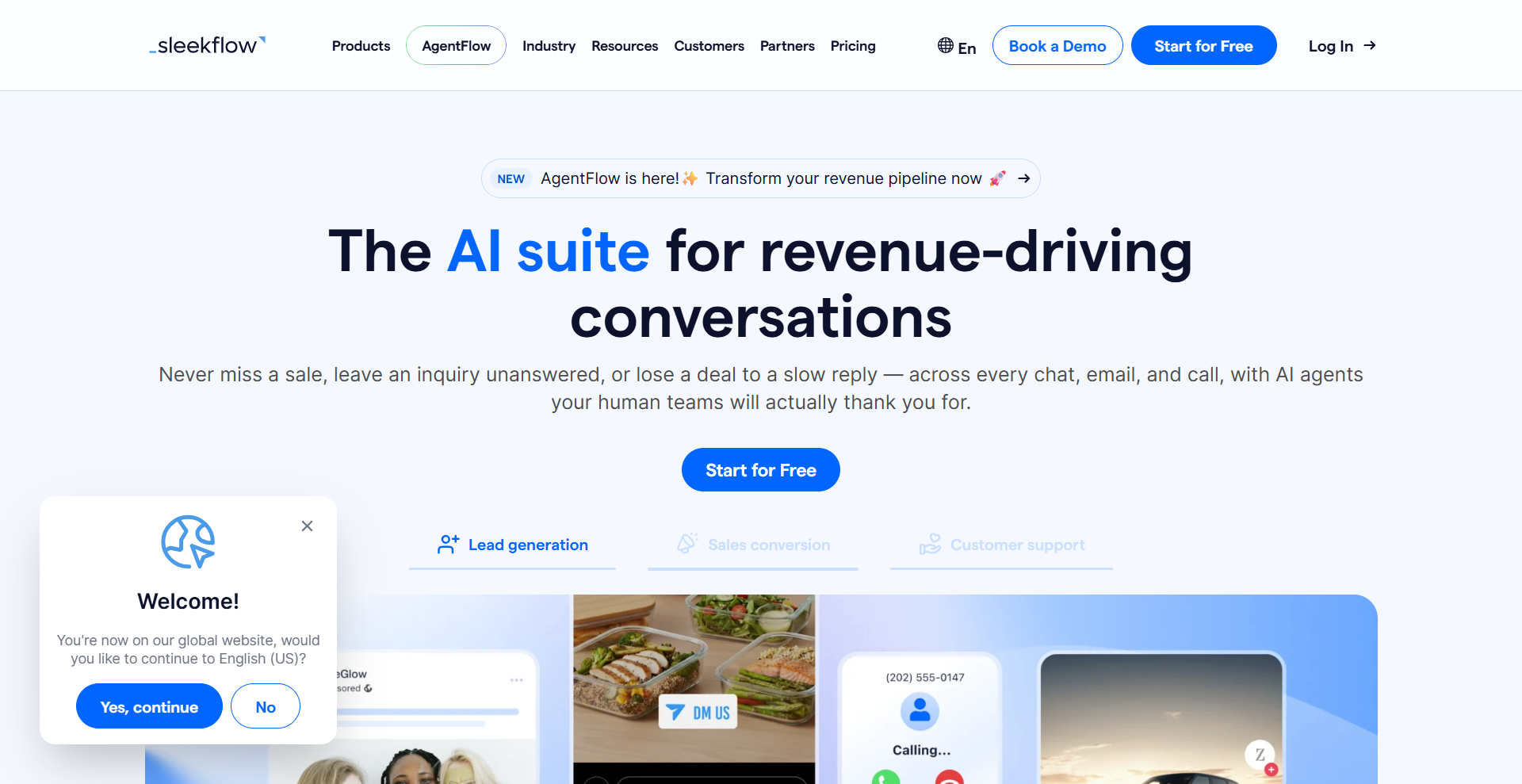
The tools above handle support requests that arrive via email, chat widget, or phone — but a growing share of small-business customer inquiries now come in through WhatsApp, Instagram DMs, Facebook Messenger, and SMS. Without a system built specifically for those channels, requests get missed, conversations stall across different apps, and support quality becomes inconsistent.
Why SleekFlow stands out
SleekFlow is purpose-built for the messaging-app layer of customer support. Instead of asking customers to switch channels or submit a form, it meets them where they already are — on WhatsApp, Instagram, Messenger, Telegram, LINE, and SMS — and routes every conversation into a shared team inbox where it can be assigned, tracked, and resolved just like any other support ticket.
For small businesses that generate a meaningful share of customer interactions through social media or messaging apps, SleekFlow adds the operational structure those channels otherwise lack. Its no-code chatbot builder automates first responses and common queries, while the AI Agent can handle entire conversations end-to-end without human intervention, escalating only when genuinely needed. Every interaction syncs with CRM tools like HubSpot, Salesforce, and Shopify, so agents always have full customer context regardless of where the conversation started.
Key Features
- Omnichannel Shared Inbox: WhatsApp, Instagram DMs, Facebook Messenger, Telegram, LINE, and SMS conversations arrive in a single shared workspace with full history and assignment controls.
- AI Agent and No-Code Chatbot Builder: Automates responses to common queries and handles complete support conversations without manual effort, freeing agents to focus on complex issues.
- Smart Routing and Assignment: Incoming messages are automatically routed to the right team member based on language, topic, customer tier, or workload — reducing first response times.
- Broadcast Campaigns: Proactive messages such as order updates, appointment reminders, and re-engagement nudges can be sent at scale directly through WhatsApp and other channels.
- CRM and Helpdesk Integrations: Native integrations with HubSpot, Salesforce, Shopify, and Zendesk sync conversation data bidirectionally, keeping support and customer records aligned.
- In-Chat Payments: Customers can complete purchases or pay outstanding balances directly inside a chat conversation, removing friction from the sales-to-support cycle.
Ideal for: Small businesses that receive a significant volume of customer inquiries through WhatsApp, Instagram, or other messaging apps, and need a structured way to manage, assign, and track those conversations at scale.
Potential considerations: SleekFlow is optimized for messaging-channel support rather than email-first workflows. Teams whose customer communication is primarily email-based may find the platforms above — particularly Hiver or HubSpot Service Hub — a better primary fit, with SleekFlow added as a complementary layer for social and messaging channels.
For small businesses where customers reach out through messaging apps as often as they do through email, SleekFlow provides the operational structure those channels otherwise lack — without requiring customers to change how they communicate.
What Makes a Ticketing System Small-Business Friendly?
Choosing a ticketing system isn’t just about comparing features. The real question is whether your team can start using it quickly and stay organized as support volume grows, without slowing things down.
Many tools look powerful on paper, but add complexity in practice. For smaller teams, what matters more is simplicity, ease of adoption, and how well the system fits into your existing workflow so you can respond faster and stay on top of every conversation.
Simplicity and Ease of Use
A support platform should enable agents to begin responding to tickets quickly without extensive training.
Systems with intuitive interfaces and minimal configuration requirements typically see faster adoption across teams.
Affordable and Scalable Pricing
Pricing structures should allow businesses to start small and scale gradually as support operations grow.
Clear, transparent pricing prevents unexpected costs as teams add agents or features.
Essential Support Features
Most teams benefit from focusing on core capabilities such as:
- Shared inboxes
- Ticket assignment and collaboration
- Automation rules
- Reporting dashboards
- Knowledge base tools
These features provide the operational structure required to manage customer support effectively.
Integrations with Existing Tools
Support systems rarely operate in isolation.
Integrations with CRM platforms, ecommerce systems, and productivity tools allow teams to maintain a complete view of customer interactions without manual data entry.
Why Ticketing Systems Matter for Growing Businesses
Many organizations initially manage support requests through shared inboxes or spreadsheets.
While this works at a small scale, the approach becomes difficult to maintain as customer interactions increase.
A ticketing system introduces structure, accountability, and visibility into the support process.
Improved Organization
Every inquiry becomes a trackable ticket with clear ownership, status, and history. Instead of searching through threads or forwarding emails, your team always knows who is handling what and what still needs attention.
Faster Response Times
Automation rules and templates reduce repetitive work. Tickets can be routed to the right person automatically, and agents can respond faster without starting from scratch every time.
Better Customer Experience
Agents have full context for every conversation, including past interactions and updates. That means customers don’t have to repeat themselves, and issues can be resolved more smoothly.
Data-Driven Improvements
Reporting tools give you visibility into ticket volume, response times, and common issues. Over time, these insights help you identify bottlenecks, improve processes, and plan resources more effectively.
Choosing the Right Ticketing System
The right platform depends on your support workflow, communication channels, and team size.
Before selecting a system, consider the following:
- Which support channels generate the most inquiries
- How many agents will use the system
- Which automation features will save the most time
- How the platform integrates with your current tools
Most vendors offer trial periods, allowing you to evaluate usability before committing. Hiver, for example, let you get started for free and see how ticketing works within your existing workflow before making a decision.
Final Thoughts
Customer support has become a critical component of long-term business success. Teams that respond quickly, maintain clear communication, and resolve issues efficiently build stronger relationships with customers.
A well-chosen ticketing system provides the operational structure required to achieve that consistency.
By selecting a platform aligned with your team’s workflow and growth plans, you create a foundation for reliable, scalable support operations in the years ahead.
Frequently Asked Questions
A customer support ticketing system is software that helps businesses organize, track, prioritize, and manage incoming customer requests across channels such as email, website forms, chat, and phone support. Instead of support requests getting buried in inboxes or manually tracked, each issue is assigned a unique ticket ID, allowing teams to monitor status, response times, ownership, and resolution progress more efficiently.
Small businesses often rely on lean teams, which makes organization and response efficiency critical. A ticketing system helps prevent missed messages, duplicate replies, delayed responses, and internal confusion. By centralizing customer communication, small businesses can improve consistency, accountability, and customer satisfaction without significantly increasing operational overhead.
A ticketing system improves customer experience by creating faster response times, better issue tracking, clearer communication, and more organized support workflows. Customers gain confidence knowing their request has been received, assigned, and monitored. This transparency reduces frustration while improving trust, retention, and overall brand perception.
Yes. Ticketing systems automate workflows such as routing requests to the right department, flagging urgent issues, assigning ownership, sending automated confirmations, and triggering reminders. These automations reduce manual handling and help teams prioritize faster, resulting in improved response and resolution times.
Small businesses should prioritize features such as shared inbox management, ticket tracking, automation rules, internal notes, SLA monitoring, reporting dashboards, canned responses, integrations with CRM or email platforms, and customer communication history. Scalability is also important so the platform can grow alongside the business.
A well-implemented ticketing system can reduce customer complaints by minimizing missed requests, delayed responses, and inconsistent communication. Customers are more likely to remain satisfied when they feel acknowledged quickly and can trust that their issue is being actively managed through a structured process.
No. Small businesses often benefit significantly from ticketing systems because they may lack dedicated support staff or formal workflows. Even businesses with only a few employees can use ticketing tools to stay organized, manage workload distribution, and deliver a more professional customer support experience.
Ticketing systems improve internal collaboration by allowing team members to assign tickets, leave internal notes, transfer ownership, tag departments, and track issue history in one centralized location. This reduces silos, duplicate work, and communication breakdowns between departments.
Yes. Most modern ticketing platforms integrate with websites, contact forms, live chat tools, CRM systems, email platforms, ecommerce software, and communication tools like Slack or Microsoft Teams. These integrations help businesses create a more connected support ecosystem and streamline workflows.
Without a ticketing system, businesses often struggle with scattered communication, lost customer requests, slower response times, poor accountability, and inconsistent follow-up. Over time, this can damage customer trust, reduce retention, create operational inefficiencies, and negatively impact brand reputation.