How AI and Machine Learning Are Transforming UI/UX Design for Software Products
You use AI and machine learning in UI/UX design to turn user signals into faster decisions, smarter interfaces, and adaptive software experiences. AI analyzes behavior, heatmaps, feedback, and session data to reveal friction, predict intent, and personalize flows. It also generates wireframes, layouts, copy, prototypes, and accessibility improvements while shortening testing cycles. You still need human judgment to guide strategy, ethics, privacy, and brand clarity. Next, you’ll see how these shifts work in practice.
What AI Changes in UI/UX Design
What changes when AI enters the UI/UX design process? You shift from manual production cycles to adaptive, accelerated workflows. With AI-driven UX design, you can automate wireframes, generate layouts, refine color systems, suggest typography, and recommend components before your team spends hours on repetitive tasks. Machine learning algorithms help translate design rules, product constraints, and interface patterns into faster prototypes, giving you more room to focus on strategy, accessibility, brand coherence, and emotional clarity.
You don’t replace designers; you expand their leverage. AI supports real-time design assistance, rapid testing, content adaptation, and prototype generation from early concepts. You make decisions with stronger signals, but you still guide ethics, context, and user value. The result is a smarter design operation in which creativity, systems thinking, and technical precision work together.
Using AI to Analyze User Behavior
How do users actually move through your product, and where do they hesitate, abandon, or convert? With AI-driven analytics, you can turn user behavior into actionable UX intelligence. AI scans interaction logs, heatmaps, session replays, interviews, and sentiment signals to reveal patterns, preferences, friction points, and unmet intent at scale.
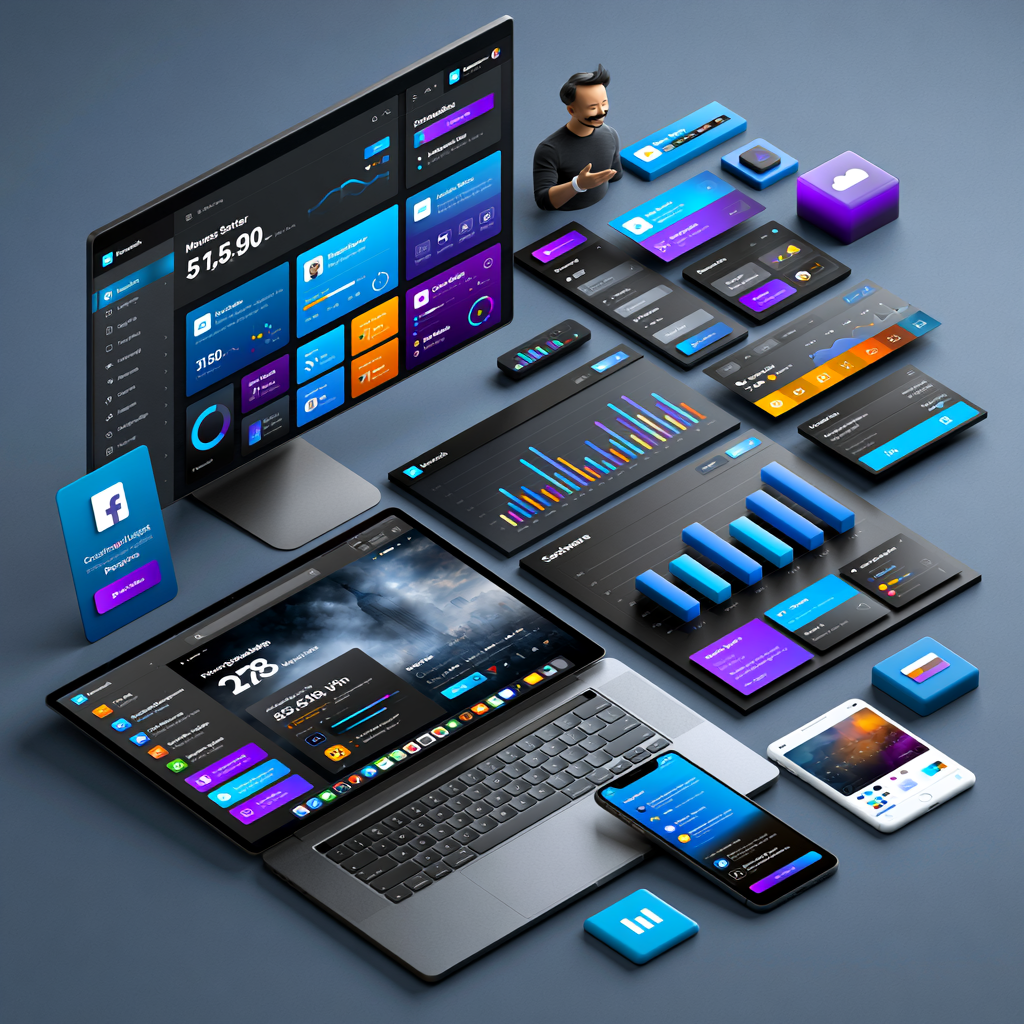
Instead of relying on scattered observations, you can identify which flows slow adoption, which features drive retention, and which moments create confusion. Machine learning models connect past searches, purchases, clicks, and demographic signals to predict likely next actions, so you can prioritize proactive improvements before users churn.
You also gain sharper personalization. By analyzing behavior history and context, AI helps you tailor recommendations, content, and experiences that feel timely, relevant, and useful. Read more
In today’s hyper-competitive digital landscape, professional UI/UX Design Services have evolved from a luxury to a strategic necessity, serving as the critical bridge that transforms complex software functionality into intuitive, human-centered experiences.
AI for Layouts, Copy, and Design Ideas
When early ideas need structure fast, AI can turn user flows, product requirements, and interaction goals into layout suggestions, basic wireframes, and design directions you can test sooner. You can use these outputs to compare navigation models, prioritize content hierarchy, and align interface decisions with user intent before investing heavily. Partners
In modern ui/ux design, ai also supports real-time decisions as you work. It can suggest typography, spacing, color palettes, icons, and visual consistency rules based on brand systems, accessibility needs, trends, and user preferences. For copy, it can draft product descriptions, chatbot responses, labels, and recommendations so you can refine tone quickly. Tools like Uizard and Framer help you translate abstract ideas into responsive visual directions while keeping your team focused on clarity, relevance, and strategy.
Tools like Uizard and Framer help you translate abstract ideas into responsive visual directions while keeping your team focused on clarity, relevance, and strategy. For teams looking to move from ideas to production faster, using ready-made Framer templates can help speed up the design process with professionally structured layouts, responsive sections, and customizable components.
Faster UI/UX Prototyping With AI Tools
Once AI helps shape layouts, copy, and visual direction, it can also move those ideas into clickable prototypes much faster. You can turn wireframes, sketches, or user flows into interactive screens without manually rebuilding every component. With AI-assisted prototyping, tools like Uizard create screens from prompts, while DALL-E and Midjourney help you explore visual routes on demand.
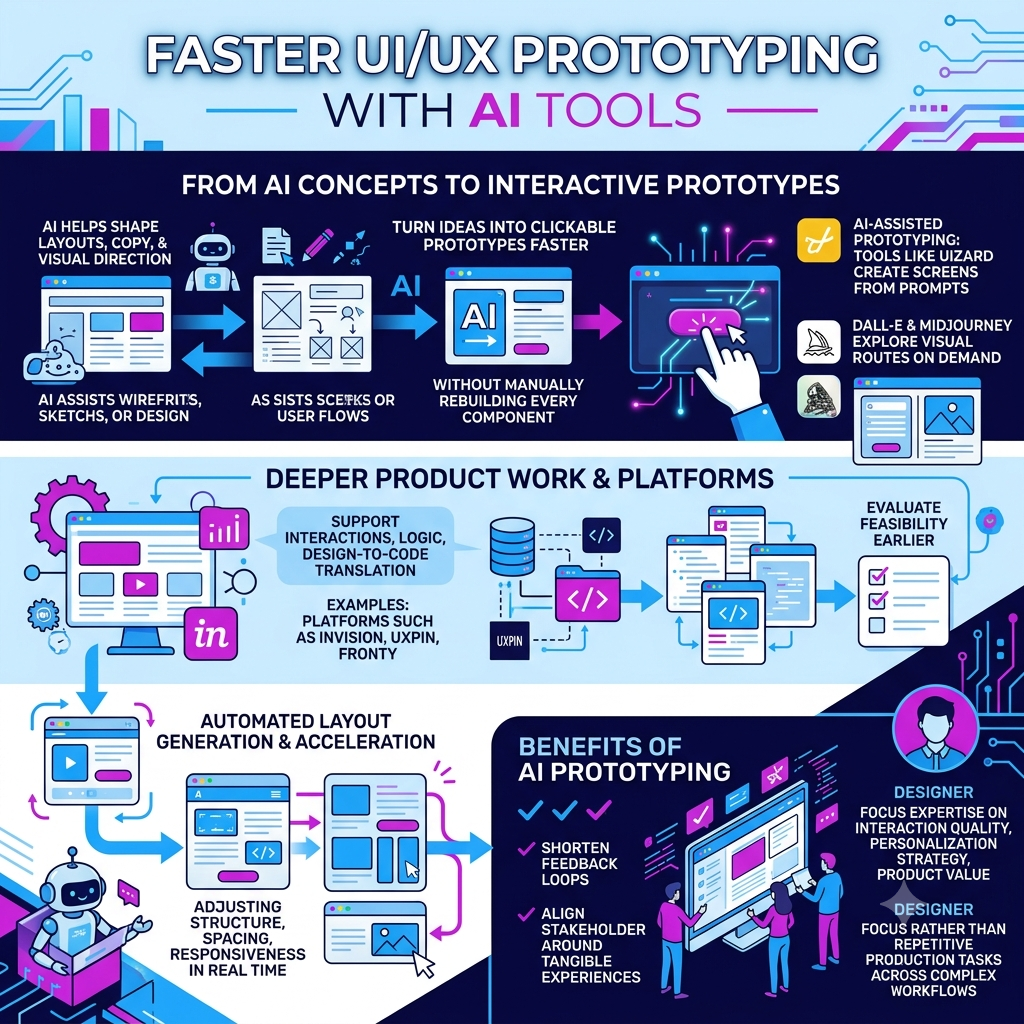
For deeper product work, platforms such as InVision, UXPin, and Fronty support interactions, logic, and design-to-code translation, so your team can evaluate feasibility earlier. Automated layout generation accelerates iteration by adjusting structure, spacing, and responsiveness in real time. You shorten feedback loops, align stakeholders around tangible experiences, and focus your expertise on interaction quality, personalization strategy, and product value rather than repetitive production tasks across complex workflows.
AI for Faster Usability Testing
As teams move from prototypes to validation, AI speeds up usability testing by turning user interactions into structured insights almost immediately. With tailored AI integrations from teams like Darly Solutions, you can automate data collection, heatmaps, session replays, and sentiment analysis, then spot friction before it hardens into product debt. Real-time models evaluate clicks, scroll depth, hesitation, and intent, so you can refine layouts, navigation, and content hierarchy while the evidence is fresh.
You can also test more design options without slowing delivery. AI-driven prototypes turn wireframes into clickable flows, helping you compare alternatives and reduce time to feedback. Automated accessibility checks, responsive validation, and color or typography suggestions reveal usability gaps across devices. Behavior-informed scenarios make usability testing reflect real contexts, not assumptions, and give your team clearer direction for faster iteration. After usability issues are fixed, web test recorders can capture key browser journeys and replay them after each UI change to catch regressions.
How AI Personalizes UX Experiences
Faster usability testing shows you where users struggle; AI personalization helps you respond with experiences that fit each user’s intent, context, and behavior. You can analyze interests, demographics, search history, purchases, and viewing patterns to tailor content, recommendations, and interface presentation. Instead of serving one static journey, you adapt layouts, prompts, and product suggestions as signals change.
With real-time processing, your UX can react during the session: simplify navigation, surface relevant features, or adjust onboarding based on actions. NLP and AI-generated text enable you to deliver precise, human-like responses tailored to individual interests. This makes personalization operational, not decorative. When you apply it strategically, you increase engagement, satisfaction, loyalty, and conversion while giving users software that feels responsive, intelligent, and designed around their goals.
AI for Accessibility and Inclusive UX
How can AI make accessibility a built-in product capability instead of a late-stage checklist? You use ai for accessibility to design adaptive interfaces that support text-to-speech, voice commands, alternative inputs, and assistive technologies from day one. ML models analyze behavior signals to spot friction affecting users with disabilities, helping you prioritize fixes with measurable impact.
With inclusive ux, you can personalize presentation in real time: adjust typography, contrast, navigation density, or content structure based on user preferences and interaction patterns. AI also automates accessible design patterns, ensuring consistent color contrast, readable layouts, and semantic navigation across screens. Automated testing and feedback loops validate changes during prototyping, not after launch. You reduce compliance risk while building products that feel flexible, intelligent, and usable for more people.
Human Judgment and Risks in AI-Driven UX
While AI can surface patterns faster than any manual research cycle, it can’t decide what those patterns mean for real people. You still need human judgment to interpret heatmaps, session replays, behavior predictions, and feedback signals with empathy, product context, and business intent. AI may recommend personalization based on demographics, interests, or usage history, but you decide whether that experience feels helpful, ethical, and aligned with your brand voice.
You also need to manage risks related to bias, privacy, over-automation, and overconfidence in predictive analytics. Generic chat-based tools can miss complex journey logic, visual hierarchy, and discoverability, so you should embed AI into task-specific workflows. Treat AI as a decision-support layer, not a replacement for design governance, emotional intelligence, or strategic UX accountability.
Frequently Asked Questions
How Much Do AI UI/UX Design Tools Typically Cost?
AI UI/UX design tools typically cost $0 to $150+ per user per month. Picture testing that theory like pricing lenses for a digital telescope: free tiers reveal basics, $10–$30 plans support solo workflows, $30–$80 plans add collaboration, and enterprise pricing unlocks governance, security, and scale. You’ll pay more for AI prototyping, usability analytics, design systems, integrations, and data controls. Choose based on team size, workflow depth, and measurable ROI.
Which AI UX Tools Are Best for Small Product Teams?
Choose Figma AI, UI/UX design tools like Uizard, Framer AI, Maze, and Galileo AI if you’re a small product team. You’ll move fastest with Figma for collaborative ideation, Uizard for quick wireframes, Framer for interactive prototypes, Maze for usability insights, and Galileo for polished UI concepts. Prioritize tools that integrate with your stack, support rapid testing, and don’t lock you into rigid workflows. Start lean, validate often, and scale usage as evidence grows.
What Skills Should Designers Learn to Work With AI?
Learn prompt engineering, data literacy, interaction design for adaptive systems, and AI ethics. Build skills in experimentation, analytics, and usability testing to validate AI-driven choices. Get comfortable with prototyping tools, design systems, and basic model behavior, including bias and limitations. You don’t need to code deeply, but you should understand APIs, workflows, and constraints to collaborate strategically and create user-centered AI experiences.
How Can Companies Introduce AI Into Existing Design Workflows?
Start small, think big: you introduce AI by targeting low-risk workflow gaps first. Audit repetitive tasks, then add tools for research synthesis, layout exploration, accessibility checks, and prototype testing. You’ll define governance, data privacy rules, and human review points before scaling. Train designers to prompt, validate, and challenge outputs. Connect AI insights to product metrics, not novelty. Run pilots, measure impact, refine processes, and keep users at the center.
Will AI Change Hiring Expectations for Ui/Ux Designers?
Yes, hiring expectations will shift toward hybrid designers who can pair UX fundamentals with AI fluency. You’ll need strong research, systems thinking, accessibility, and interaction design skills, plus the ability to use AI tools for prototyping, analytics, personalization, and testing. Employers won’t just value output speed; they’ll expect you to guide models, validate insights, protect users, and make ethical, human-centered decisions across product design workflows.
Conclusion
AI and machine learning can sharpen every stage of your UI/UX process, from research and prototyping to testing, personalization, and accessibility. You can move faster, spot patterns earlier, and design experiences that feel more relevant. But don’t hand the steering wheel to the algorithm like it’s a medieval GPS. You still need human judgment, ethics, and empathy to guide every decision. Use AI as your accelerator, not your designer, and keep users at the center.